Poutrel Yoga Studio: Digital System Design
Context
This project was developed for the SKIL2 course. Our team was tasked with designing a complete digital ecosystem for Poutrel, a yoga studio struggling with manual data management. The goal was to lower the barrier for new customers to sign up while fixing the internal communication gaps and administrative errors that often happen when a business grows faster than its tools.
What We Built
We delivered a full-scale architectural plan and interactive prototype, which included:
- A Comprehensive Business Case: Identifying ROI and strategic value.
- User Requirement Specification (URS): Defining exactly what the studio and its clients needed.
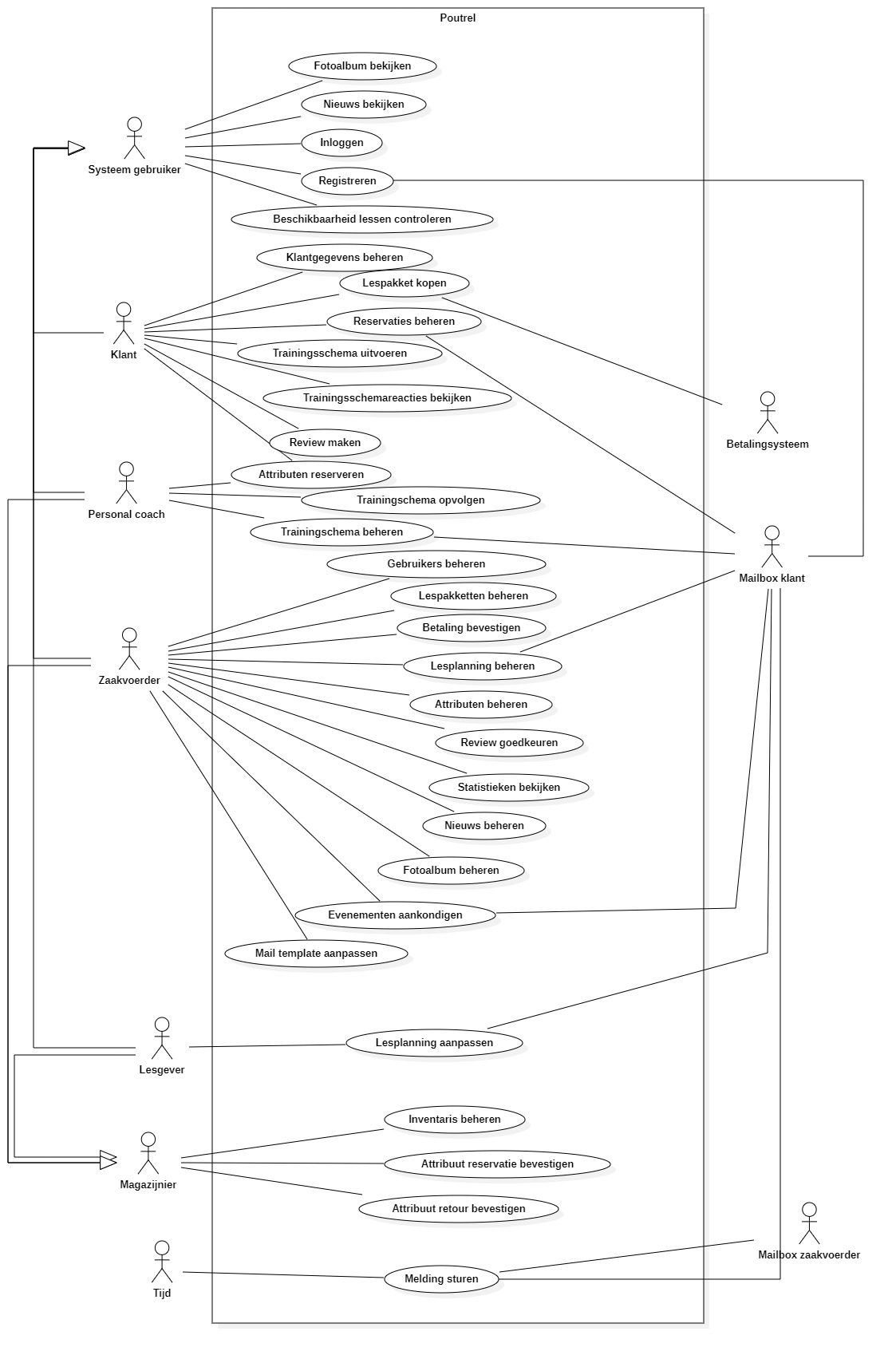
- Use Case Diagram: Mapping out every possible user interaction.
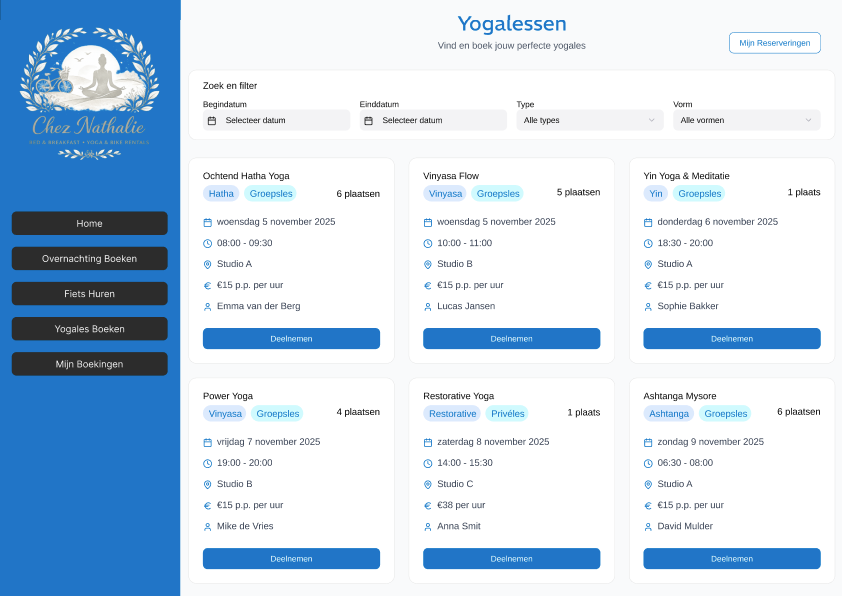
- High-Fidelity Figma Prototype: A clickable, end-to-end design of the actual application.
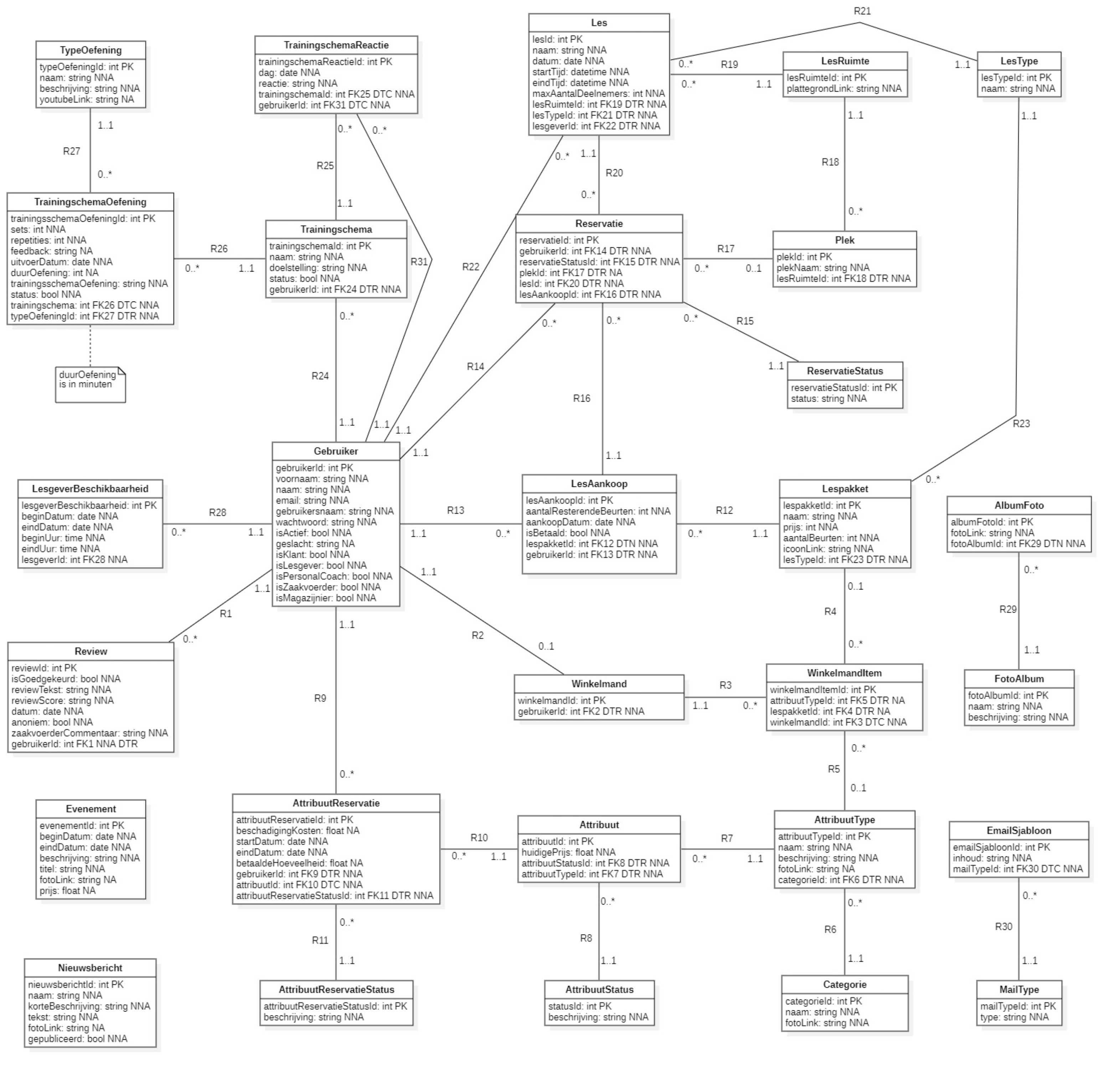
- Final Design Report: A deep dive into our technical and design choices.
Why We Built It
We built this because a yoga studio's administration shouldn't be a source of stress. Our motivation was to take a messy and manual process and see if we could automate the boring stuff like data entry and scheduling through smart design. We went with a heavy focus on the Business Case and URS first to make sure we weren't just building a pretty app, but a functional tool that actually solved Poutrel's specific pain points.
How We Built It
The biggest hurdle wasn't the software, it was the design consistency. Managing a Figma file with six contributors is chaotic. We had to establish a shared design language early on to ensure the final product didn't feel disjointed. I focused heavily on the Use Case Diagram to ensure our logic was sound before moving into the visual design phase. This approach saved us from having to redo screens later when we realized a user flow didn't actually work.
My Personal Contribution
While we collaborated on the documentation as a group, I tried to take the lead in these specific areas:
- UC-Diagram Design: I worked on the UC-Diagram to figure out the smoothest path for a customer to join the studio. By mapping these flows early on, I made sure we didn't miss any important steps in the registration process.
- Figma Prototyping: I was one of the primary builders of the interactive mockups, focusing on maintaining a cohesive UI across different use-cases.
- Team Integration: I tried acting as a bridge between different ideas, helping to combine six different perspectives into one unified design.
Tech Stack
- Design Tool: Figma
- Modeling: StarUML
- Documentation: Microsoft Word
Key Takeaways
This project was a huge lesson in soft skills. Working with five people I didn't previously know taught me how to identify and utilize individual strengths. I learned that even if you don't "click" with someone's workflow immediately, there is immense value in diverse thinking. If I did it again, I'd set up a stricter Figma style guide on day one to make the collaborative design process even smoother.